RAG
Document Loaders
Intermediate
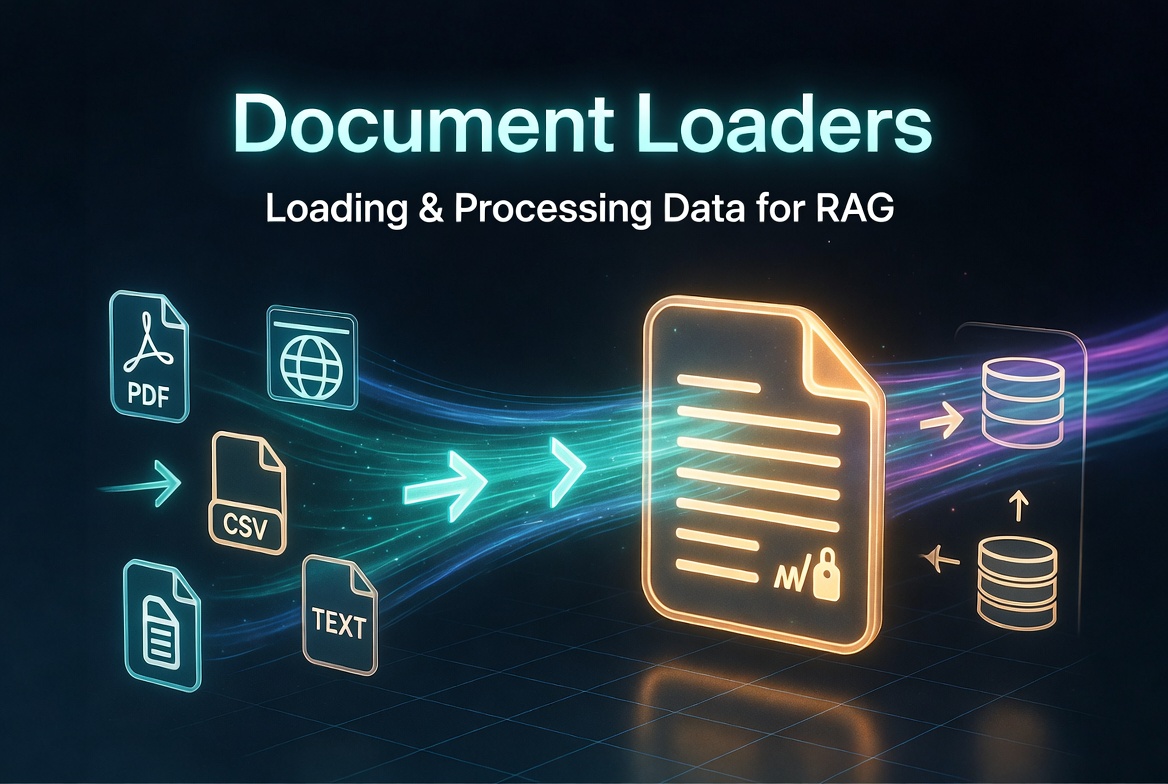
Document Loaders
What Are Document Loaders?
- page_content: The extracted text
- metadata: Dictionary with source info, dates, sections, etc.
Loading Text Documents
from langchain_community.document_loaders import TextLoader

loader = TextLoader("data/report.txt", encoding="utf-8")
docs = loader.load()

print(len(docs))           # Usually 1
print(docs[0].page_content[:500])
print(docs[0].metadata)
PDF Loaders
# 1. Simple & Fast - PyPDFLoader
from langchain_community.document_loaders import PyPDFLoader

loader = PyPDFLoader("docs/paper.pdf")
docs = loader.load()                    # loads all pages as separate docs

# Page-by-page with metadata
for doc in docs:
    print(doc.metadata["page"])

# 2. Best quality & layout awareness - PyMuPDFLoader (fitz)
from langchain_community.document_loaders import PyMuPDFLoader

loader = PyMuPDFLoader(
    "docs/report.pdf",
    extract_images=True,           # extract image descriptions if needed
    extract_tables=True
)
docs = loader.load()

# 3. Advanced structure (tables, elements) - UnstructuredPDFLoader
from langchain_community.document_loaders import UnstructuredPDFLoader

loader = UnstructuredPDFLoader(
    "docs/complex.pdf",
    mode="elements",               # or "single"
    strategy="hi_res"              # best for tables & layout
)
docs = loader.load()
Web Page Loaders
from langchain_community.document_loaders import WebBaseLoader

loader = WebBaseLoader([
    "https://docs.langchain.com/docs",
    "https://python.langchain.com/docs/tutorials/"
])

docs = loader.load()

# Clean HTML with BeautifulSoup
loader = WebBaseLoader(
    "https://example.com",
    bs_kwargs={"parse_only": {"class": ["content", "main"]}}
)
CSV and Structured Data Loaders
from langchain_community.document_loaders import CSVLoader

loader = CSVLoader(
    file_path="data/customers.csv",
    encoding="utf-8",
    csv_args={
        'delimiter': ',',
        'quotechar': '"'
    }
)

docs = loader.load()

# Each row becomes a Document
print(docs[0].page_content)
print(docs[0].metadata["row"])Database Loaders
from langchain_community.document_loaders import SQLDatabaseLoader
from langchain_community.utilities import SQLDatabase

db = SQLDatabase.from_uri("postgresql://user:pass@localhost/dbname")

loader = SQLDatabaseLoader(
    query="SELECT * FROM documents WHERE updated_at > '2025-01-01'",
    db=db,
    page_content_columns=["title", "content"],
    metadata_columns=["id", "author", "updated_at"]
)

docs = loader.load()
API-Based Document Loading
from langchain_community.document_loaders import APILoader  # or custom

# Example: Loading from Notion, GitHub, Slack, etc.
from langchain_community.document_loaders import NotionDBLoader

loader = NotionDBLoader(
    notion_api_key="...",
    database_id="..."
)
docs = loader.load()import requests
from langchain_core.documents import Document
def load_from_api(endpoint: str, headers: dict):
response = requests.get(endpoint, headers=headers)
data = response.json()
documents = []
for item in data["items"]:
documents.append(Document(
page_content=item["content"],
metadata={"source": endpoint, "id": item["id"]}
))
return documentsCleaning and Preprocessing Documents
from langchain_text_splitters import RecursiveCharacterTextSplitter
import re

def clean_text(text: str) -> str:
    text = re.sub(r'\s+', ' ', text)           # normalize whitespace
    text = re.sub(r'\n+', '\n', text)
    text = text.strip()
    return text

cleaned_docs = [Document(
    page_content=clean_text(doc.page_content),
    metadata=doc.metadata
) for doc in docs]
Text Splitters
After loading the documents, splitting them into manageable chunks is arguably the most consequential decision in a RAG pipeline. Too large, and your retrieval becomes noisy and expensive. Too small, and you lose critical context. The right splitter, and the right configuration, depends on your data format and what you need the model to reason over.
The Document object after splitting
Each chunk is still a
Document
, but with inherited and enriched metadata:
from langchain_core.documents import Document

# What a chunk looks like post-split
chunk = Document(
    page_content="...",          # The text slice
    metadata={
        "source": "data/report.pdf",
        "page": 3,
        "chunk": 2,              # Added by splitter
        "start_index": 1204      # Character offset (if add_start_index=True)
    }
)
1. RecursiveCharacterTextSplitter (default choice)
The workhorse. It tries to split on meaningful boundaries in order — paragraphs → sentences → words → characters — backtracking to smaller separators only when a chunk is still too large.
from langchain_text_splitters import RecursiveCharacterTextSplitter

splitter = RecursiveCharacterTextSplitter(
    chunk_size=1000,        # Max characters per chunk
    chunk_overlap=200,      # Characters shared between adjacent chunks
    separators=["\n\n", "\n", ". ", " ", ""],   # Tried in order
    add_start_index=True    # Adds character offset to metadata
)

chunks = splitter.split_documents(docs)
When to use : General-purpose text (articles, reports, manuals). It respects natural structure without requiring any schema knowledge.
Key insight
:
chunk_overlap
is not wasted space, it prevents context loss at boundaries. For dense technical content, 15–20% overlap is a safe default.
2. Language-aware splitters
For code, use a language-specific splitter that understands function/class/block boundaries:
from langchain_text_splitters import RecursiveCharacterTextSplitter, Language

# Python: splits on class definitions, function defs, then statements
python_splitter = RecursiveCharacterTextSplitter.from_language(
    language=Language.PYTHON,
    chunk_size=800,
    chunk_overlap=100
)

# Also supports: JS, TS, Go, Rust, C, C++, Java, Markdown, HTML, Latex, Sol
code_chunks = python_splitter.split_text(source_code)
When to use : Codebases, notebooks, any structured language file. Splitting mid-function destroys the semantic unit.
3. MarkdownHeaderTextSplitter
Splits on Markdown headings and propagates header context into metadata, ideal for documentation sites or wikis.
from langchain_text_splitters import MarkdownHeaderTextSplitter

headers_to_split_on = [
    ("#", "h1"),
    ("##", "h2"),
    ("###", "h3"),
]

splitter = MarkdownHeaderTextSplitter(
    headers_to_split_on=headers_to_split_on,
    strip_headers=False    # Keep the heading text in page_content
)

chunks = splitter.split_text(markdown_text)

# Each chunk's metadata now has the section hierarchy:
# {"h1": "Introduction", "h2": "Installation", "h3": "Prerequisites"}
When to use : Docs, wikis, README files. The header metadata dramatically improves retrieval precision because you can filter by section, not just similarity.
4. HTMLHeaderTextSplitter / HTMLSectionSplitter
The HTML equivalent of the Markdown splitter, for web-scraped content:
from langchain_text_splitters import HTMLHeaderTextSplitter

headers_to_split_on = [("h1", "h1"), ("h2", "h2"), ("h3", "h3")]

splitter = HTMLHeaderTextSplitter(headers_to_split_on=headers_to_split_on)
chunks = splitter.split_text(html_string)
5. SemanticChunker (best quality, higher cost)
Instead of splitting on character counts,
SemanticChunker
uses embedding similarity between consecutive sentences to find natural semantic breaks. Chunks are formed where meaning shifts, not where a counter hits 1000.
from langchain_experimental.text_splitter import SemanticChunker
from langchain_openai import OpenAIEmbeddings   # or any embeddings model

embeddings = OpenAIEmbeddings()

splitter = SemanticChunker(
    embeddings,
    breakpoint_threshold_type="percentile",   # or "standard_deviation", "interquartile"
    breakpoint_threshold_amount=95            # split at top 5% most dissimilar transitions
)

chunks = splitter.split_documents(docs)
Threshold types explained :
-
"percentile"— splits at the top N% sharpest similarity drops. Most predictable. -
"standard_deviation"— splits where the drop exceeds mean − k·std. More adaptive. -
"interquartile"— robust to outliers. Good for noisy or inconsistently formatted text.
When to use : High-value corpora where chunk quality directly impacts answer quality (legal docs, research papers, medical records). The embedding calls add cost and latency, so don't default to this for bulk ingestion.
6. TokenTextSplitter
Splits on tokens rather than characters — essential when your downstream model has a token-based context limit:
from langchain_text_splitters import TokenTextSplitter

splitter = TokenTextSplitter(
    chunk_size=512,     # Tokens, not characters
    chunk_overlap=64,
    encoding_name="cl100k_base"   # tiktoken encoding for GPT-4 / Claude-compatible
)

chunks = splitter.split_documents(docs)Combining splitters (recommended pattern)
For mixed-format or large documents, chain splitters: a structure-aware first pass, then a size-enforcing second pass:
from langchain_text_splitters import (
    MarkdownHeaderTextSplitter,
    RecursiveCharacterTextSplitter
)

# Stage 1: split by heading structure
header_splitter = MarkdownHeaderTextSplitter(
    headers_to_split_on=[("#", "h1"), ("##", "h2")]
)
header_chunks = header_splitter.split_text(markdown_doc)

# Stage 2: enforce max chunk size while preserving metadata
char_splitter = RecursiveCharacterTextSplitter(
    chunk_size=900, chunk_overlap=150
)
final_chunks = char_splitter.split_documents(header_chunks)
# Metadata from stage 1 (h1, h2) is preserved in all final chunks
Choosing the right splitter
| Content type | Recommended splitter |
|---|---|
| General text, PDFs, reports |
RecursiveCharacterTextSplitter
|
| Source code |
RecursiveCharacterTextSplitter.from_language(...)
|
| Markdown / docs / wikis |
MarkdownHeaderTextSplitter
→
RecursiveCharacterTextSplitter
|
| HTML / web-scraped content |
HTMLHeaderTextSplitter
→
RecursiveCharacterTextSplitter
|
| High-value prose (legal, medical) |
SemanticChunker
|
| Strict token budgeting |
TokenTextSplitter
|
| Large mixed-format docs | Chain two splitters (structure → size) |
Common mistakes
-
Using
CharacterTextSplitter(splits on a single separator only) instead of the recursive variant — it degrades quality significantly on real documents -
Setting
chunk_overlap=0— almost always wrong; boundary context matters - Ignoring token count when using character-based splitters on multilingual text
-
Running
SemanticChunkeron millions of documents without caching embeddings — the cost adds up fast -
Discarding metadata after splitting — always verify that
source,page, and section headers survive the pipeline
Chunking Strategies & Overlap
Splitting is not just about picking a splitter, it's about choosing the right strategy for the shape of your data and your retrieval goals. The same document chunked differently can produce dramatically different RAG quality.
The three dimensions of every chunking decision
Every strategy is really a set of choices across three axes: what boundary to honour, how large to make each piece, and how much to let adjacent pieces share.
1. Fixed-size chunking
The simplest strategy: split purely by character or token count, regardless of content structure
from langchain_text_splitters import RecursiveCharacterTextSplitter

splitter = RecursiveCharacterTextSplitter(
    chunk_size=1000,
    chunk_overlap=200,
)
Fast and predictable. The risk is slicing mid-sentence or mid-paragraph, which loses local context. Acceptable for dense homogeneous text (transcripts, logs) where natural structure is weak anyway.
2. Structure-aware chunking
Respect the document's own boundaries, headings, paragraphs, code blocks, before falling back to character counts.
RecursiveCharacterTextSplitter
does this automatically via its
separators
list.
splitter = RecursiveCharacterTextSplitter(
    chunk_size=900,
    chunk_overlap=150,
    separators=["\n\n", "\n", ". ", " ", ""]
)
The splitter walks the separator list left to right: split on
\n\n
(paragraphs) first; if the result is still too large, fall back to
\n
, then sentences, then words, then characters. This means a chunk almost never breaks inside a sentence unless the sentence itself exceeds
chunk_size
.
3. Semantic chunking
Instead of counting characters, embed consecutive sentences and split where the similarity between neighbours drops sharply, i.e., where the topic actually changes.
from langchain_experimental.text_splitter import SemanticChunker
from langchain_openai import OpenAIEmbeddings

splitter = SemanticChunker(
    OpenAIEmbeddings(),
    breakpoint_threshold_type="percentile",
    breakpoint_threshold_amount=90   # split at top 10% sharpest topic shifts
)
Semantic chunks are the most contextually coherent, each chunk is about one thing . The tradeoff: every split requires embedding calls, so it's slower and more expensive. Reserve it for high-value corpora.
4. Agentic / proposition-based chunking
The frontier approach: use an LLM to rewrite each document into atomic propositions before chunking. Each proposition is a single self-contained fact.
from langchain_core.documents import Document
from langchain_core.prompts import ChatPromptTemplate
from langchain_openai import ChatOpenAI

proposition_prompt = ChatPromptTemplate.from_template("""
Decompose the following text into simple, self-contained propositions.
Each proposition should be a single sentence expressing one idea.

Text: {text}

Return only the propositions, one per line.
""")

llm = ChatOpenAI(model="gpt-4o-mini", temperature=0)

def chunk_into_propositions(doc: Document) -> list[Document]:
    result = llm.invoke(proposition_prompt.format(text=doc.page_content))
    return [
        Document(page_content=p.strip(), metadata=doc.metadata)
        for p in result.content.strip().split("\n")
        if p.strip()
    ]
Proposition chunks retrieve with extremely high precision, the trade-off is LLM cost per document and longer ingestion time. Best used for knowledge bases that will be queried heavily over time.
Overlap: the most misunderstood parameter
Overlap is not wasted space. Without it, a sentence split across two chunk boundaries exists in neither chunk's context, and the retriever can never surface it.
splitter = RecursiveCharacterTextSplitter(
    chunk_size=1000,
    chunk_overlap=200,    # 20% overlap
    add_start_index=True  # adds "start_index" to metadata for deduplication
)
How overlap works mechanically
: after a chunk is cut at position N, the next chunk starts at position
N − chunk_overlap
. The overlapping region is present in both adjacent chunks. This means:
- A key sentence near a chunk boundary will appear in full in at least one chunk
- Questions that span two topics get context from both sides
- Deduplication at retrieval time is needed to avoid serving the same text twice
Overlap sizing guide :
| Content type | Recommended overlap | Rationale |
|---|---|---|
| Dense technical docs | 20–25% of chunk size | Key definitions may span paragraphs |
| General prose, articles | 15–20% | Standard boundary context |
| Code | 10–15% | Functions are natural units; overlap rarely helps |
| Structured data (CSVs, tables) | 0–5% | Each row is self-contained |
| Legal / medical | 20–30% | Cross-reference context is critical |
5. Parent-child chunking (multi-granularity retrieval)
Store small chunks for retrieval precision, but return the surrounding parent chunk to the LLM for answer generation. This separates what you find from what you read .
from langchain.retrievers import ParentDocumentRetriever
from langchain.storage import InMemoryStore
from langchain_community.vectorstores import Chroma

child_splitter = RecursiveCharacterTextSplitter(chunk_size=400)
parent_splitter = RecursiveCharacterTextSplitter(chunk_size=2000)

vectorstore = Chroma(embedding_function=embeddings)
docstore = InMemoryStore()

retriever = ParentDocumentRetriever(
    vectorstore=vectorstore,
    docstore=docstore,
    child_splitter=child_splitter,
    parent_splitter=parent_splitter,
)

retriever.add_documents(docs)
results = retriever.invoke("your query")
# Returns parent chunks — even though matching happened on child chunks
This is one of the most impactful RAG improvements available. Tight child chunks (300–500 chars) mean the embedding captures a precise semantic signal. Wide parent chunks (1500–2500 chars) mean the LLM gets enough context to reason correctly.
6. Sliding window chunking
A variant of fixed-size where every N tokens you emit a new chunk, regardless of overlap. Ensures dense coverage of the document at the cost of higher chunk count.
from langchain_text_splitters import TokenTextSplitter

sliding_splitter = TokenTextSplitter(
    chunk_size=256,
    chunk_overlap=128,    # 50% overlap = dense sliding window
    encoding_name="cl100k_base"
)
Useful when you can't predict which part of a dense passage will be queried, or for embedding-based re-ranking pipelines where recall matters more than precision.
Choosing chunk size
Chunk size affects three things: embedding quality, retrieval precision, and LLM context usage.
# Too small (< 200 chars): loses sentence context
# Sweet spot for most RAG (500–1000 chars): good signal, precise retrieval
# Large chunks (1500–3000 chars): better for reasoning, worse for precision
# Parent chunks (2000–4000 chars): only used for context delivery, not embedding
A quick empirical test beats any rule of thumb: run your splitter on 10 representative documents, inspect 20 random chunks, and ask: does each chunk make sense on its own, without surrounding text? If the answer is often no, reduce chunk size or increase overlap.
Full production pipeline with chunking strategy baked in
from langchain_text_splitters import RecursiveCharacterTextSplitter
from langchain_community.document_loaders import PyMuPDFLoader
from langchain_core.documents import Document
import re

def clean(text: str) -> str:
    text = re.sub(r'\s+', ' ', text)
    return text.strip()

def ingest(path: str, vectorstore, child_size=400, parent_size=2000):
    loader = PyMuPDFLoader(path)
    raw_docs = list(loader.lazy_load())

    child_splitter = RecursiveCharacterTextSplitter(
        chunk_size=child_size,
        chunk_overlap=int(child_size * 0.2),
        add_start_index=True,
        separators=["\n\n", "\n", ". ", " ", ""]
    )
    parent_splitter = RecursiveCharacterTextSplitter(
        chunk_size=parent_size,
        chunk_overlap=int(parent_size * 0.1),
    )

    cleaned = [Document(
        page_content=clean(d.page_content),
        metadata={**d.metadata, "ingested_at": datetime.now().isoformat()}
    ) for d in raw_docs]

    # Embed child chunks, store parent chunks
    parents = parent_splitter.split_documents(cleaned)
    children = child_splitter.split_documents(cleaned)

    vectorstore.add_documents(children)   # tight chunks → good embedding signal
    return parents                        # wide chunks → returned to the LLM
Common chunking mistakes
-
Setting
chunk_overlap=0, almost always wrong; boundary sentences disappear - Using the same chunk size for all document types, a code file and a legal brief need very different strategies
-
Forgetting that
chunk_sizeis in characters by default, not tokens, a 1000-char chunk is ~250 tokens for English, but ~800+ for CJK languages - Embedding large parent chunks, high-dimensional noise drowns out the signal
- Not verifying chunks visually before bulk ingestion, always inspect a sample
Metadata Extraction & Handling
Metadata is the part of a RAG pipeline most teams get right last, usually after they've already shipped a system that retrieves the wrong documents and can't figure out why. Good metadata lets you filter before embedding search, explain retrieval decisions, deduplicate results, and route queries to the right subset of your corpus. Think of it as the index on top of your vector index.
What metadata is and where it lives
Every LangChain
Document
carries a
metadata
dict alongside
page_content
. This dict travels with the chunk through splitting, embedding, and storage — and is returned alongside retrieved chunks at query time.
from langchain_core.documents import Document

doc = Document(
    page_content="The transformer architecture uses self-attention mechanisms...",
    metadata={
        "source": "docs/attention_paper.pdf",
        "page": 4,
        "author": "Vaswani et al.",
        "published_year": 2017,
        "category": "research",
        "language": "en",
        "ingested_at": "2026-06-01T10:22:00",
        "chunk_index": 3,
        "start_index": 2041
    }
)
None of this metadata is embedded, it sits in a separate metadata column in your vectorstore, queryable via filters at retrieval time.
1. Metadata that loaders provide automatically
Most loaders populate a baseline set of metadata without any extra work:
from langchain_community.document_loaders import PyMuPDFLoader

loader = PyMuPDFLoader("docs/report.pdf")
docs = loader.load()

print(docs[0].metadata)
# {
#   "source": "docs/report.pdf",
#   "file_path": "docs/report.pdf",
#   "page": 0,
#   "total_pages": 42,
#   "format": "PDF 1.7",
#   "title": "Q4 Financial Report",
#   "author": "Finance Team",
#   "subject": "",
#   "creator": "Microsoft Word",
#   "producer": "macOS Quartz PDFContext",
#   "creationDate": "D:20260101120000Z",
#   "modDate": "D:20260310083012Z",
# }
WebBaseLoader
gives you
source
,
title
, and
description
.
CSVLoader
gives
source
and
row
.
DirectoryLoader
inherits whatever the underlying loader provides, plus the file path.
Treat loader-provided metadata as a baseline. It is never sufficient on its own.
2. Enriching metadata after loading
The right time to enrich metadata is immediately after loading, before splitting — so every child chunk inherits the enriched metadata automatically.
from datetime import datetime
import os

def enrich_metadata(docs: list, category: str, version: str = "1.0") -> list:
    for doc in docs:
        source = doc.metadata.get("source", "")
        filename = os.path.basename(source)

        doc.metadata.update({
            "category": category,
            "version": version,
            "ingested_at": datetime.utcnow().isoformat(),
            "filename": filename,
            "language": detect_language(doc.page_content),  # custom function
            "word_count": len(doc.page_content.split()),
            "has_tables": "table" in doc.page_content.lower(),
        })
    return docs
Enrich before you split so you never have to iterate over thousands of chunks to backfill a field.
3. Extracting metadata from content
Some metadata can't come from the file system — it has to be parsed out of the text itself. Common cases: section headers, document date, author byline, named entities, topic tags.
Extracting section context from headings:
import re

def extract_section(text: str) -> str:
    match = re.search(r'^#{1,3}\s+(.+)', text, re.MULTILINE)
    return match.group(1).strip() if match else "unknown"

def extract_date(text: str) -> str | None:
    match = re.search(r'\b(20\d{2}[-/]\d{2}[-/]\d{2})\b', text)
    return match.group(1) if match else None
Using an LLM to extract structured metadata at ingestion time:
from langchain_openai import ChatOpenAI
from langchain_core.prompts import ChatPromptTemplate
import json

metadata_prompt = ChatPromptTemplate.from_template("""
Extract the following fields from the document excerpt below.
Respond ONLY with a valid JSON object — no preamble, no markdown.

Fields:
- topic (string): the main subject in 3-5 words
- entities (list of strings): named companies, people, products mentioned
- document_date (string or null): any date mentioned, in YYYY-MM-DD format
- sentiment (string): one of "positive", "negative", "neutral"

Document:
{text}
""")

llm = ChatOpenAI(model="gpt-4o-mini", temperature=0)

def extract_llm_metadata(doc):
    result = llm.invoke(metadata_prompt.format(text=doc.page_content[:1500]))
    try:
        parsed = json.loads(result.content)
        doc.metadata.update(parsed)
    except json.JSONDecodeError:
        pass
return doc4. Propagating metadata through splitting
Splitters preserve whatever metadata exists on the input document. You don't need to do anything special — child chunks inherit the parent's metadata dict, plus
start_index
if you set
add_start_index=True
.
from langchain_text_splitters import RecursiveCharacterTextSplitter

splitter = RecursiveCharacterTextSplitter(
    chunk_size=600,
    chunk_overlap=120,
    add_start_index=True
)

# metadata on raw_doc is preserved on every chunk
chunks = splitter.split_documents(enriched_docs)

print(chunks[4].metadata)
# {
#   "source": "docs/report.pdf",
#   "page": 0,
#   "category": "research",
#   "ingested_at": "2026-06-01T10:22:00",
#   "start_index": 2401         ← added by splitter
# }
chunk_index
field. If you need sequential chunk numbering for deduplication or ordering, add it yourself:
for i, chunk in enumerate(chunks):
    chunk.metadata["chunk_index"] = i
    chunk.metadata["chunk_total"] = len(chunks)
5. Using metadata at retrieval time
Metadata filters run before or alongside vector similarity search — they narrow the candidate set before the embedding comparison happens. This is dramatically faster and more accurate than relying on semantic search alone.
Filtering in Chroma:
results = vectorstore.similarity_search(
    query="attention mechanism in transformers",
    k=5,
    filter={"category": "research"}
)
Filtering in Pinecone:
results = vectorstore.similarity_search(
    query="attention mechanism in transformers",
    k=5,
    filter={"category": {"$eq": "research"}, "published_year": {"$gte": 2020}}
)
Filtering in Weaviate:
from weaviate.classes.query import Filter

results = vectorstore.similarity_search(
    query="attention mechanism in transformers",
    k=5,
    filters=Filter.by_property("category").equal("research")
)6. Self-querying retriever (automatic metadata filtering)
Instead of hardcoding filters, let the LLM parse the user's query and extract filter conditions automatically:
from langchain.retrievers.self_query.base import SelfQueryRetriever
from langchain.chains.query_constructor.base import AttributeInfo
from langchain_openai import ChatOpenAI

metadata_field_info = [
    AttributeInfo(name="category",       description="Document category",         type="string"),
    AttributeInfo(name="published_year", description="Year the doc was published", type="integer"),
    AttributeInfo(name="author",         description="Author of the document",     type="string"),
    AttributeInfo(name="language",       description="Language code, e.g. 'en'",   type="string"),
]

retriever = SelfQueryRetriever.from_llm(
    llm=ChatOpenAI(model="gpt-4o-mini", temperature=0),
    vectorstore=vectorstore,
    document_contents="Research papers and technical documentation",
    metadata_field_info=metadata_field_info,
)

# The user's natural language query is parsed into a filter + search query
docs = retriever.invoke("Find English papers about transformers published after 2021")
# Internally runs: filter={language: "en", published_year: {$gt: 2021}}, query="transformers"7. Metadata for deduplication
When ingesting from multiple sources, the same content can appear more than once. A stable content hash in metadata lets you skip already-indexed documents:
import hashlib

def content_hash(text: str) -> str:
    return hashlib.md5(text.encode()).hexdigest()

def deduplicate(docs: list) -> list:
    seen = set()
    unique = []
    for doc in docs:
        h = content_hash(doc.page_content)
        if h not in seen:
            seen.add(h)
            doc.metadata["content_hash"] = h
            unique.append(doc)
    return unique
content_hash
in the vectorstore metadata, then check it at ingestion time to avoid re-embedding documents that haven't changed.
8. Metadata for incremental updates
Track when a document was last modified so you only re-ingest changed files:
import os
from datetime import datetime

def needs_reingestion(filepath: str, last_indexed: dict) -> bool:
    mtime = datetime.fromtimestamp(os.path.getmtime(filepath)).isoformat()
    return last_indexed.get(filepath) != mtime

def ingest_incremental(directory: str, vectorstore, last_indexed: dict):
    for root, _, files in os.walk(directory):
        for file in files:
            path = os.path.join(root, file)
            if not needs_reingestion(path, last_indexed):
                continue

            loader = PyMuPDFLoader(path)
            docs = loader.load()

            for doc in docs:
                doc.metadata["file_mtime"] = datetime.fromtimestamp(
                    os.path.getmtime(path)
                ).isoformat()

            chunks = splitter.split_documents(docs)
            vectorstore.add_documents(chunks)

            last_indexed[path] = doc.metadata["file_mtime"]
9. A canonical metadata schema
Define a standard schema at the start of your project and enforce it across all loaders and enrichment functions. Inconsistent field names —
author
vs
authors
,
date
vs
published_date
— silently break filters.
from dataclasses import dataclass, asdict
from datetime import datetime

@dataclass
class DocumentMetadata:
    source: str                        # original file path or URL
    filename: str                      # basename of source
    category: str                      # e.g. "research", "legal", "support"
    language: str                      # ISO 639-1 code, e.g. "en"
    ingested_at: str                   # ISO 8601 UTC timestamp
    content_hash: str                  # MD5 of page_content
    page: int | None = None            # page number, if applicable
    author: str | None = None
    published_date: str | None = None  # YYYY-MM-DD
    version: str = "1.0"
    chunk_index: int | None = None
    start_index: int | None = None

def apply_schema(doc, **kwargs) -> Document:
    meta = DocumentMetadata(
        source=doc.metadata.get("source", ""),
        filename=os.path.basename(doc.metadata.get("source", "")),
        content_hash=content_hash(doc.page_content),
        ingested_at=datetime.utcnow().isoformat(),
        **kwargs
    )
    doc.metadata = asdict(meta)
    return doc
Common metadata mistakes
- Enriching after splitting — child chunks miss the new fields unless you iterate over all of them separately
-
Using inconsistent field names across loaders —
authorin one place,authorsin another,doc_authorin a third; filters silently return nothing - Storing large objects in metadata (full HTML, base64 images) — most vectorstores cap metadata values at a few KB
-
Never validating that metadata survived the round-trip into the vectorstore — always spot-check a retrieved document's
.metadatabefore going to production - Forgetting that metadata filters are exact-match or range-based — you cannot do semantic search on a metadata field; that's what the embedding is for
- Not logging which filter was applied at query time — makes debugging retrieval failures much harder
Custom Loaders & Splitters
When to write a custom loader
LangChain's built-in loaders cover the common formats well. You need a custom loader when:
- Your source is a proprietary API, internal database, or unusual file format
- You need fine-grained control over what gets extracted vs discarded
- You want to inject domain-specific metadata at load time that no generic loader would know about
- You're wrapping a third-party SDK (Confluence, Jira, Notion with custom schemas, etc.)
Subclassing
BaseLoader
The correct way to build a reusable LangChain-compatible loader is to subclass
BaseLoader
and implement
lazy_load
. Everything else —
.load()
,
.load_and_split()
, async variants — is inherited for free.
from typing import Iterator
from langchain_core.document_loaders import BaseLoader
from langchain_core.documents import Document


class ConfluencePageLoader(BaseLoader):
    """Loads pages from a Confluence space via the REST API."""

    def __init__(self, base_url: str, space_key: str, api_token: str):
        self.base_url = base_url.rstrip("/")
        self.space_key = space_key
        self.headers = {
            "Authorization": f"Bearer {api_token}",
            "Content-Type": "application/json",
        }

    def lazy_load(self) -> Iterator[Document]:
        import requests
        from bs4 import BeautifulSoup

        start = 0
        limit = 25

        while True:
            resp = requests.get(
                f"{self.base_url}/rest/api/content",
                headers=self.headers,
                params={
                    "spaceKey": self.space_key,
                    "expand": "body.storage,version,ancestors",
                    "start": start,
                    "limit": limit,
                },
            )
            resp.raise_for_status()
            data = resp.json()
            results = data.get("results", [])

            if not results:
                break

            for page in results:
                html = page["body"]["storage"]["value"]
                text = BeautifulSoup(html, "html.parser").get_text(separator="\n")

                yield Document(
                    page_content=text.strip(),
                    metadata={
                        "source": f"{self.base_url}/wiki/spaces/{self.space_key}/pages/{page['id']}",
                        "page_id": page["id"],
                        "title": page["title"],
                        "version": page["version"]["number"],
                        "last_modified": page["version"]["when"],
                        "ancestors": [a["title"] for a in page.get("ancestors", [])],
                        "space_key": self.space_key,
                    },
                )

            start += limit
            if start >= data["size"]:
                break
Usage is identical to any built-in loader:
loader = ConfluencePageLoader(
    base_url="https://mycompany.atlassian.net",
    space_key="ENG",
    api_token="...",
)

# Lazy — memory efficient for large spaces
for doc in loader.lazy_load():
    print(doc.metadata["title"])

# Or load all at once
docs = loader.load()

# Works with load_and_split too
chunks = loader.load_and_split(text_splitter=splitter)
Key rules for custom loaders
lazy_load
must
yield
documents one at a time — never accumulate and return a list. This is what makes the loader work with streaming ingestion pipelines.
Raise on unrecoverable errors, but log and
continue
on per-document failures (a single malformed page should not abort a 2,000-page ingestion):
def lazy_load(self) -> Iterator[Document]:
    for item in self._fetch_items():
        try:
            yield self._parse(item)
        except Exception as e:
            logger.warning(f"Skipping item {item.get('id')}: {e}")
            continue
For async pipelines, implement
alazy_load
as well:
async def alazy_load(self) -> AsyncIterator[Document]:
    import httpx
    async with httpx.AsyncClient() as client:
        async for item in self._async_fetch(client):
            yield self._parse(item)
When to write a custom splitter
You need a custom splitter when:
-
Your documents have a domain-specific boundary that no built-in separator captures (legal clauses, medical sections like
ASSESSMENT:/PLAN:, financial statement line items) - You need to split on a pattern that requires more logic than a regex separator list
- You want to attach per-chunk metadata derived from the chunk's own content at split time (e.g. the clause number, the section type)
Subclassing
TextSplitter
Subclass
TextSplitter
and implement
split_text
. The base class handles everything else:
split_documents
, overlap merging, length enforcement.
from langchain_text_splitters import TextSplitter
import re


class LegalClauseSplitter(TextSplitter):
    """
    Splits legal documents on numbered clause boundaries.
    e.g. "1. Definitions", "2. Obligations", "3.1 Payment terms"
    Each chunk gets clause_number and clause_title in metadata.
    """

    CLAUSE_PATTERN = re.compile(
        r'(?=\n(\d+(?:\.\d+)*)\s+([A-Z][^\n]{3,80})\n)'
    )

    def split_text(self, text: str) -> list[str]:
        boundaries = [m.start() for m in self.CLAUSE_PATTERN.finditer(text)]

        if not boundaries:
            # No clause boundaries found — fall back to paragraph splitting
            return [p.strip() for p in text.split("\n\n") if p.strip()]

        chunks = []
        for i, start in enumerate(boundaries):
            end = boundaries[i + 1] if i + 1 < len(boundaries) else len(text)
            chunk = text[start:end].strip()
            if chunk:
                chunks.append(chunk)

        return chunks
If you need per-chunk metadata derived from the content, override
split_documents
instead:
class LegalClauseSplitterWithMetadata(TextSplitter):

    CLAUSE_PATTERN = re.compile(
        r'\n(\d+(?:\.\d+)*)\s+([A-Z][^\n]{3,80})\n'
    )

    def split_text(self, text: str) -> list[str]:
        # Required by base class — delegates to split_documents for metadata
        return [c for c, _ in self._split_with_metadata(text)]

    def split_documents(self, documents):
        result = []
        for doc in documents:
            for chunk_text, clause_meta in self._split_with_metadata(doc.page_content):
                result.append(Document(
                    page_content=chunk_text,
                    metadata={
                        **doc.metadata,
                        **clause_meta,
                    }
                ))
        return result

    def _split_with_metadata(self, text: str):
        matches = list(self.CLAUSE_PATTERN.finditer(text))
        if not matches:
            yield text, {}
            return

        for i, m in enumerate(matches):
            start = m.start()
            end = matches[i + 1].start() if i + 1 < len(matches) else len(text)
            chunk = text[start:end].strip()
            if chunk:
                yield chunk, {
                    "clause_number": m.group(1),
                    "clause_title": m.group(2).strip(),
                }
Usage is identical to built-in splitters:
splitter = LegalClauseSplitterWithMetadata(chunk_size=2000, chunk_overlap=0)
chunks = splitter.split_documents(docs)

print(chunks[0].metadata)
# {
#   "source": "contracts/nda_2026.pdf",
#   "page": 1,
#   "clause_number": "3.1",
#   "clause_title": "Payment Terms",
#   ...
# }
Combining a custom loader and splitter in a pipeline
from datetime import datetime

loader = ConfluencePageLoader(
    base_url="https://mycompany.atlassian.net",
    space_key="LEGAL",
    api_token=os.getenv("CONFLUENCE_TOKEN"),
)

splitter = LegalClauseSplitterWithMetadata(chunk_size=1500, chunk_overlap=0)

all_chunks = []
for doc in loader.lazy_load():
    doc.metadata["ingested_at"] = datetime.utcnow().isoformat()
    chunks = splitter.split_documents([doc])
    all_chunks.extend(chunks)

vectorstore.add_documents(all_chunks)
Common mistakes
-
Returning a list from
lazy_loadinstead of yielding — breaks streaming and loads everything into memory at once -
Implementing
split_documentswithout also implementingsplit_text— the base class will raiseNotImplementedErrorwhen other parts of the framework call it -
Applying overlap logic manually inside a custom
split_text— the base class already handles merging with overlap; adding your own creates double overlap -
Forgetting that
chunk_sizeandchunk_overlapare passed to__init__viaTextSplitter.__init__(**kwargs)— always pass them through:super().__init__(**kwargs)
Streaming Document Loading (Production)
# Lazy loading - memory efficient
loader = PyPDFLoader("large_file.pdf")

for doc in loader.lazy_load():          # or alazy_load() async
    # Process one document at a time
    cleaned = clean_text(doc.page_content)
    chunks = splitter.split_documents([Document(page_content=cleaned, metadata=doc.metadata)])
    vectorstore.add_documents(chunks)
Incremental Data Updates
# Only load new or modified files
import os
from datetime import datetime

def load_incremental(directory: str):
    docs = []
    for root, _, files in os.walk(directory):
        for file in files:
            if file.endswith(".pdf"):
                filepath = os.path.join(root, file)
                mtime = datetime.fromtimestamp(os.path.getmtime(filepath))
                # Compare with last indexed date...
                loader = PyMuPDFLoader(filepath)
                docs.extend(loader.load())
    return docs
Common Document Loader Mistakes
- Loading everything into memory with .load() instead of lazy_load()
- No encoding specification (utf-8)
- Ignoring or losing metadata
- Poor error handling on corrupted files
- Using wrong PDF loader for tables/scanned docs
- No cleaning (excess whitespace, HTML tags)
- Loading duplicate content
- Missing incremental loading strategy
Best Practices for Document Loading
- Always prefer lazy_load() / alazy_load() for production
- Use DirectoryLoader with use_multithreading=True for speed
- Choose the right loader per format (PyMuPDF > PyPDF for most PDFs)
- Extract and enrich metadata aggressively (source, date, section, version)
- Clean text immediately after loading
- Implement robust error handling and logging
- Version your data ingestion pipeline
- Use caching for repeated loads during development
- Test loaders on real, messy documents (not just clean samples)
- Combine with semantic chunking + rich metadata for best RAG results
from typing import List
from langchain_core.documents import Document

class DocumentIngestionPipeline:
    def __init__(self, vectorstore):
        self.vectorstore = vectorstore
        self.splitter = RecursiveCharacterTextSplitter(chunk_size=900, chunk_overlap=150)

    def ingest(self, source_path: str, source_type: str = "pdf"):
        if source_type == "pdf":
            loader = PyMuPDFLoader(source_path)
        elif source_type == "web":
            loader = WebBaseLoader(source_path)
        else:
            loader = TextLoader(source_path)

        docs = []
        for doc in loader.lazy_load():
            doc.page_content = clean_text(doc.page_content)
            doc.metadata["ingested_at"] = datetime.now().isoformat()
            docs.append(doc)

        chunks = self.splitter.split_documents(docs)
        self.vectorstore.add_documents(chunks)
        return len(chunks)

# Usage in LangGraph node
pipeline = DocumentIngestionPipeline(vectorstore)AI agent LangChain LangGraph Python RAG