RAG
RAG Systems
Intermediate
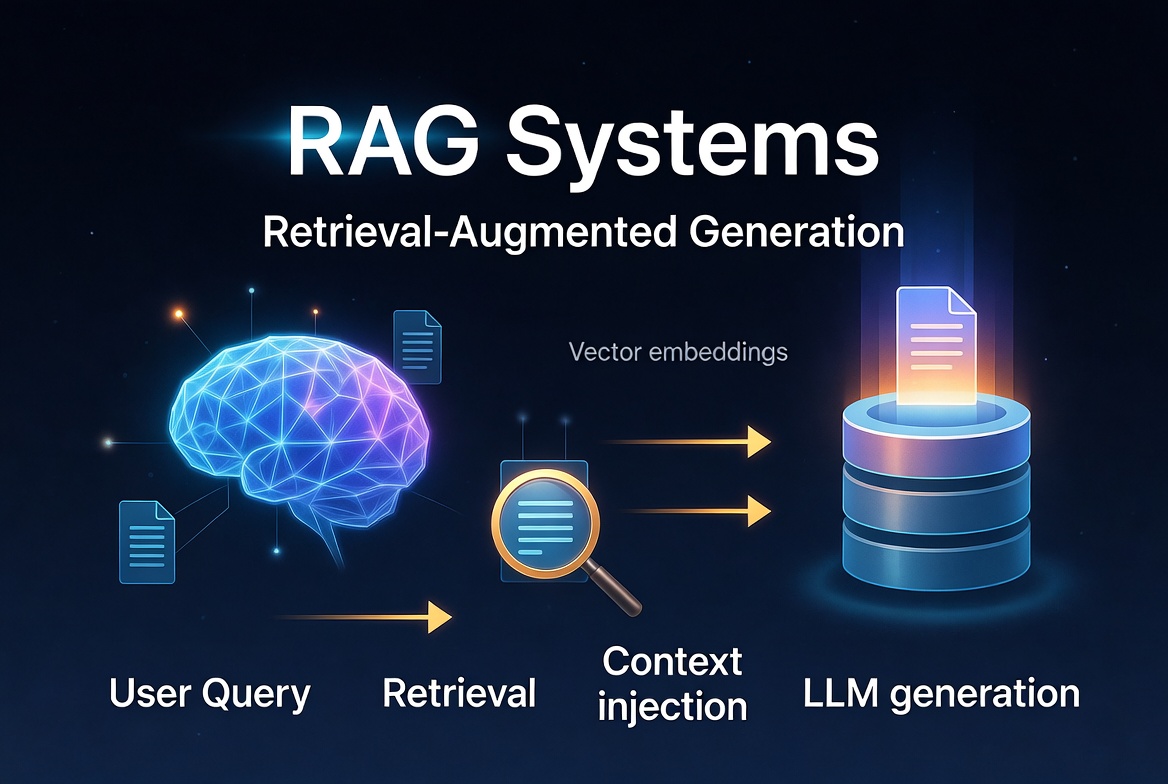
Retrieval-Augmented Generation (RAG) has become the foundation of nearly every production-grade AI application. Instead of relying solely on an LLM’s internal knowledge, RAG dynamically retrieves relevant information from external data sources and injects it into the generation process — dramatically reducing hallucinations and enabling agents to work with private, up-to-date, or domain-specific knowledge.
In this comprehensive series, we break down the complete RAG Systems stack and build it step by step using LangChain and LangGraph.
RAG Systems
This post explains
Retrieval-Augmented Generation (RAG)
systems in depth and how to build them effectively using
LangGraph
. It covers the fundamentals, why RAG is essential for reliable AI agents, different architectures (from simple to agentic), state-driven workflows, memory integration, common pitfalls, and production best practices with fully working code examples.
What Is RAG (Retrieval-Augmented Generation)?
RAG is a technique that allows Large Language Models to access up-to-date, domain-specific, or private information that was not part of their original training data. Instead of relying solely on the model’s parametric knowledge, RAG dynamically retrieves relevant context from an external knowledge base and injects it into the prompt before generation.
This dramatically reduces hallucinations and enables LLMs to work with proprietary documents, recent events, or large knowledge bases.
Why RAG Matters in AI Agents
Modern AI agents need accurate, grounded responses. Pure LLM calls often fail on:
- Company-specific data
- Recent information (post-training cutoff)
- Complex domain knowledge
- Long-form documents
RAG vs Fine-Tuning
|
Aspect
|
RAG
|
Fine-Tuning
|
|---|---|---|
|
Knowledge Update
|
Real-time / dynamic
|
Static (needs retraining)
|
|
Cost
|
Low (inference only)
|
High (training + hosting)
|
|
Hallucination Risk
|
Lower (grounded in docs)
|
Still possible
|
|
Privacy
|
Excellent (data stays external)
|
Data baked into model
|
|
Flexibility
|
Very high
|
Medium
|
Rule of thumb: Use RAG first. Fine-tune only for style, format, or very specific small-domain behavior.
Core Components of RAG Systems
- Document Loader + Splitter
- Embeddings Model
- Vector Store (with metadata support)
- Retriever (with optional reranking)
- LLM + Prompt
- Orchestration Layer (LangGraph)
Retrieval + Generation Workflow
from langchain_community.document_loaders import PyPDFDirectoryLoader
from langchain_text_splitters import RecursiveCharacterTextSplitter
from langchain_openai import OpenAIEmbeddings, ChatOpenAI
from langchain_chroma import Chroma

# 1. Load & Split
loader = PyPDFDirectoryLoader("docs/")
docs = loader.load()

splitter = RecursiveCharacterTextSplitter(chunk_size=1000, chunk_overlap=200)
chunks = splitter.split_documents(docs)

# 2. Embed & Store
embeddings = OpenAIEmbeddings(model="text-embedding-3-small")
vectorstore = Chroma.from_documents(chunks, embeddings, collection_name="my_rag")

# 3. Retriever
retriever = vectorstore.as_retriever(search_kwargs={"k": 6})
RAG Architectures in LangGraph
Basic State-Driven RAG Workflow
from typing import TypedDict, Annotated, List
from langgraph.graph import StateGraph, START, END
from langchain_core.messages import AIMessage, HumanMessage
from langgraph.checkpoint.memory import MemorySaver
from langchain_openai import ChatOpenAI, OpenAIEmbeddings
from langchain_community.vectorstores import FAISS
import operator

# Define retriever and LLM once
embeddings = OpenAIEmbeddings()
vectorstore = FAISS.from_documents(documents, embeddings)  # supply your docs
retriever = vectorstore.as_retriever(search_kwargs={"k": 4})
llm = ChatOpenAI(model="gpt-4o-mini")

class RAGState(TypedDict):
    messages: Annotated[List, operator.add]
    context: List[dict]
    question: str

def retrieve(state: RAGState):
    question = state["messages"][-1].content
    docs = retriever.invoke(question)
    return {"context": docs}

def generate(state: RAGState):
    context_text = "\n\n".join([doc.page_content for doc in state["context"]])
    prompt = f"""Answer the question using only the provided context.

Context:
{context_text}

Question: {state["messages"][-1].content}
Answer:"""
    response = llm.invoke(prompt)
    return {"messages": [response]}

# Graph (unchanged)
graph = StateGraph(RAGState)
graph.add_node("retrieve", retrieve)
graph.add_node("generate", generate)
graph.add_edge(START, "retrieve")
graph.add_edge("retrieve", "generate")
graph.add_edge("generate", END)

app = graph.compile(checkpointer=MemorySaver())
Query → Retrieve → Generate Flow
Run it:
config = {"configurable": {"thread_id": "rag_001"}}

result = app.invoke({
    "messages": [HumanMessage(content="What are the key benefits of using LangGraph?")]
}, config)

print(result["messages"][-1].content)
Memory-Augmented RAG
def retrieve_with_history(state: RAGState):
    # Condense history + current question into one search query
    # Simple approach: just use last message
    # Better approach: summarise the thread
    last_question = state["messages"][-1].content

    if len(state["messages"]) > 2:
        # Build a context-aware query using recent history
        history_text = "\n".join([
            f"{'User' if isinstance(m, HumanMessage) else 'AI'}: {m.content}"
            for m in state["messages"][-4:]  # last 2 turns
        ])
        query = llm.invoke(
            f"Given this conversation:\n{history_text}\n\n"
            f"Write a single search query to find documents for the last question. "
            f"Return only the query, nothing else."
        ).content
    else:
        query = last_question

    docs = retriever.invoke(query)
    return {"context": docs}


def generate_with_history(state: RAGState):
    context_text = "\n\n".join([doc.page_content for doc in state["context"]])

    # Format full conversation history for the prompt
    history = state["messages"][:-1]  # everything except the current question
    history_text = "\n".join([
        f"{'User' if isinstance(m, HumanMessage) else 'Assistant'}: {m.content}"
        for m in history
    ])

    prompt = f"""Answer the question using only the provided context.
If the question references previous conversation, use the history to understand it.

Context:
{context_text}

Conversation history:
{history_text}

Current question: {state["messages"][-1].content}
Answer:"""

    response = llm.invoke(prompt)
    return {"messages": [response]}


# Graph — swap in the new nodes
graph = StateGraph(RAGState)
graph.add_node("retrieve", retrieve_with_history)  # <-- updated
graph.add_node("generate", generate_with_history)  # <-- updated
graph.add_edge(START, "retrieve")
graph.add_edge("retrieve", "generate")
graph.add_edge("generate", END)

app = graph.compile(checkpointer=MemorySaver())
Summary of where memory actually lives:
| Layer | What it does |
|---|---|
MemorySaver
|
Persists state to disk/memory between
.invoke()
calls
|
thread_id
|
Identifies which conversation session to load |
operator.add
|
Appends new messages instead of replacing the list |
retrieve_with_history
|
Uses accumulated messages to form a better search query |
generate_with_history
|
Passes full history to the LLM so it can resolve references like "it" or "that" |
Multi-Step RAG Systems (Agentic RAG)
The agent decides when and how many times to retrieve, that's the key difference from linear RAG. Here's the full picture:
Linear RAG vs Agentic RAG
Linear:   User → retrieve → generate → Answer
                  (always once, always same query)

Agentic:  User → Agent → retrieve? → think → retrieve again? → Answer
                  (decides if/when/how many times, rewrites queries)
What the agent can do that linear RAG can't:
# The agent can chain multiple retrievals automatically:
# Q: "Compare the refund policies of Plan A and Plan B"
#
# Step 1: retrieve_docs("Plan A refund policy")
# Step 2: retrieve_docs("Plan B refund policy")
# Step 3: Answer using both results
#
# Linear RAG would do ONE retrieval with the full question
# and likely miss half the context
from langchain.tools import tool
from langchain_community.tools import DuckDuckGoSearchRun
@tool
def retrieve_docs(query: str) -> str:
"""Retrieve relevant documents from the internal knowledge base."""
docs = retriever.invoke(query)
return "\n\n".join([doc.page_content for doc in docs])
@tool
def retrieve_by_date(query: str, date_range: str) -> str:
"""Retrieve documents filtered by date range (e.g. '2024-01 to 2024-06')."""
docs = retriever.invoke(query)
# filter by metadata
filtered = [d for d in docs if d.metadata.get("date", "") in date_range]
return "\n\n".join([doc.page_content for doc in filtered])
@tool
def web_search(query: str) -> str:
"""Search the web when internal docs don't have the answer."""
return DuckDuckGoSearchRun().run(query)
@tool
def summarise_docs(text: str) -> str:
"""Summarise a long document before using it in an answer."""
return llm.invoke(f"Summarise this concisely:\n{text}").content
tools = [retrieve_docs, retrieve_by_date, web_search, summarise_docs]Add a system prompt to control agent behaviour:
from langchain_core.messages import SystemMessage
from langgraph.prebuilt import create_react_agent

system_prompt = """You are a helpful research assistant with access to tools.

Rules:
- Always retrieve before answering — never rely on your training data alone
- If the first retrieval is insufficient, refine the query and try again
- Use web_search only when internal docs lack the answer
- If you retrieve more than 3 times without a good answer, say so honestly
- Cite which documents you used in your final answer
"""

agent = create_react_agent(
    model=ChatOpenAI(model="gpt-4o"),
    tools=tools,
    checkpointer=MemorySaver(),
    state_modifier=system_prompt      # <-- guides decision-making
)
Invoke with thread memory:
config = {"configurable": {"thread_id": "user_123"}}

# Turn 1
result = agent.invoke({
    "messages": [HumanMessage(content="What is our refund policy?")]
}, config)

# Turn 2 — agent has full history, decides if re-retrieval is needed
result = agent.invoke({
    "messages": [HumanMessage(content="How does that compare to the competitor?")]
}, config)

# Stream to see the agent's reasoning steps live
for step in agent.stream({
    "messages": [HumanMessage(content="Summarise all policies")]
}, config):
    print(step)   # prints each tool call + result as it happens
Agentic RAG Architectures
Advanced patterns you can build in LangGraph:
- Corrective RAG (CRAG): Grade retrieved documents and re-retrieve if poor
- Self-Reflective RAG: LLM evaluates its own answer quality
- Adaptive RAG: Route to different retrieval strategies based on query type
- Multi-Hop RAG: Chain multiple retrieval steps
- Hybrid Search + Reranking
Example: Document Grader Node
from langchain_core.prompts import ChatPromptTemplate

grader_prompt = ChatPromptTemplate.from_template(
    "Is this document relevant to the question? Answer YES or NO only.\n"
    "Document: {doc}\nQuestion: {question}"
)

def grade_documents(state: RAGState):
    relevant_docs = []
    for doc in state["context"]:
        result = llm.invoke(grader_prompt.format(
            doc=doc.page_content[:500],
            question=state["messages"][-1].content
        ))
        if "YES" in result.content.upper():
            relevant_docs.append(doc)

    return {"context": relevant_docs}
Insert this node between retrieve and generate with conditional edges.
Context Injection in RAG Best practices:
- Use contextual chunk headers (document title + section)
- Metadata filtering (date, source, importance)
- Reranking with cross-encoders
- Compression / summarization of long contexts
Performance Considerations
- Chunk size & overlap matter a lot
- Embedding model choice impacts quality significantly
- Use hybrid search (vector + BM25) for best results
- Add caching layer for repeated queries
- Monitor retrieval latency and relevance
Common RAG Mistakes
- Using naive fixed-size chunking without overlap
- No document grading → feeding noise to LLM
- Ignoring metadata
- Single retrieval step for complex questions
- No evaluation pipeline
- Storing raw chunks without preprocessing
- Relying only on vector similarity (no hybrid search)
Best Practices for RAG Systems
- Always evaluate with a test dataset (RAGAS, ARES, or custom metrics)
- Use hybrid search + reranking as default
- Implement query rewriting / expansion (HyDE, multi-query)
- Add self-correction loops in LangGraph
- Store metadata aggressively (source, date, section, etc.)
- Use semantic chunking when possible
- Monitor and log every retrieval + generation step
- Version your indexes and embeddings
Pro Tip – Conditional Debug Mode:
import os

if os.getenv("DEBUG_MODE") == "true":
    # Add grading, logging, and breakpoints
    graph.add_node("grade", grade_documents)
    graph.add_edge("retrieve", "grade")
    graph.add_conditional_edges("grade", ...)
else:
    graph.add_edge("retrieve", "generate")
RAG + LangGraph gives you full control, observability, and reliability, turning simple retrieval into powerful, agentic knowledge systems.
Learn more RAG in details:
AI agent LangGraph Python RAG